Apple addresses AT&T iPhone 18 Pro Max cellular issue
Many people love the new iPhone 18 lineup because of the key features that come with the smartphones. The iPhone 18 Pro Max, for instance, comes with a variable-aperture camera, which supports superior low-light performance. Besides, the device also comes with the A20 Pro Chip, a processor that delivers top-tier processing speed & efficiency. But as with other new smartphones, the iPhone 18 Pro Max is not without its issues. According to the latest reports, several AT&T iPhone 18 Pro Max users are reporting some annoying cellular network issues.
This issue specifically affects users on the AT&T network. When the AT&T iPhone 18 Pro Max cellular network problem starts, it causes the phone to lose cellular service. This issue directly prevents users from making calls, texting messages, or using data. When describing the issue, a Redditor said:
“I got my 18 Pro Max swapped out at an Apple Store yesterday. It worked for 5 hours and then went back to SOS/no working cell coverage. I’m curious as to how long this issue will persist.”
Having gone through different reports, one thing we can say is that this issue is widespread.
How to avoid the AT&T iPhone 18 Pro Max cellular network issue
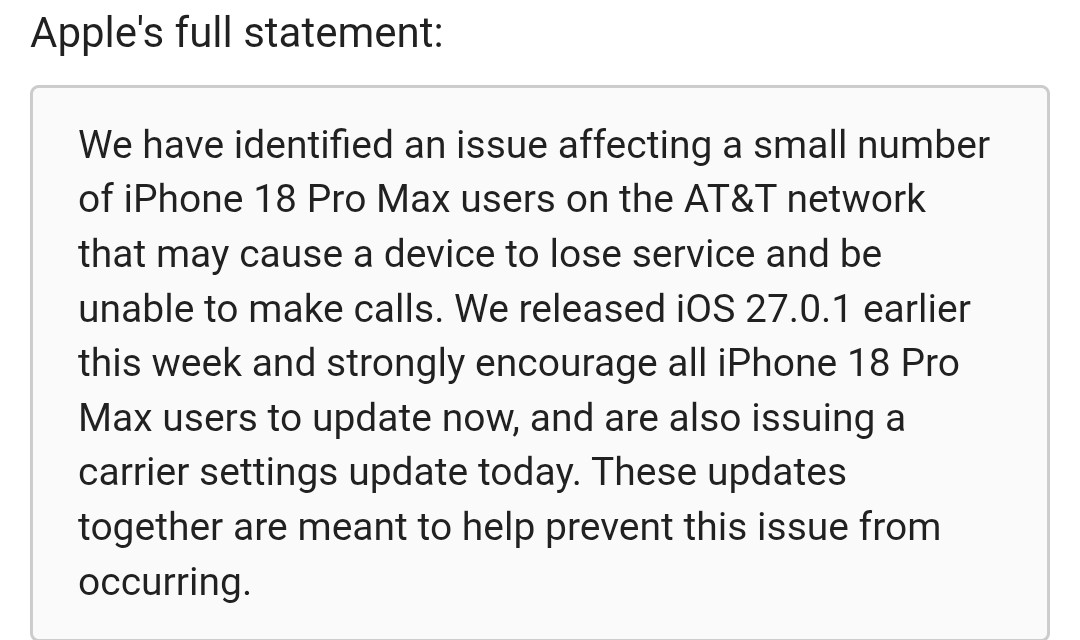
The good news is that both Apple and AT&T are fully aware of this iPhone 18 Pro Max network issue. When addressing it, Apple said the newly released iOS 27.0.1 was partly rolled out to prevent more iPhone 18 Pro Max users from experiencing the annoying network issue. When speaking with MacRumors, the company urged affected users to update to iOS 27.0.1.
Below are a few simple steps to install the new iOS:
- Open your Settings app
- Tap on General
- Find and select Software Update
- Install the update and restart your phone
Are you unable to install the new iOS 27.0.1 update? If yes, this post will guide you on exactly what you need to do to get the update.
In addition to the iOS update, Apple also said installing the latest AT&T carrier settings update is crucial to addressing the iPhone 18 Pro Max cellular network issue. As revealed by Apple, this update automatically downloads for AT&T users over the next 14 days. However, if it doesn’t download automatically, you can go for a manual setup by navigating to Settings > General > About.
What should affected users do?
It’s worth noting that an iOS 27.0.1 software update cannot fix the AT&T iPhone 18 Pro Max cellular network issue. The update only helps to prevent users from experiencing it going forward. If you’re currently experiencing this issue, Apple said you need to replace your device entirely. To do this, you need to contact Apple Support or AT&T, or visit an Apple Store or AT&T location.